Category: Home

  • 6 SECRETS TO PHONE PHOTOS | TIPS ON HOW TO TAKE GREAT PHOTOS WITH YOUR PHONE

    6 SECRETS TO PHONE PHOTOS | TIPS ON HOW TO TAKE GREAT PHOTOS WITH YOUR PHONE

    If you’re a blogger, content creator, social media influencer, or somewhere along those lines, then your best camera is the one you always have with you! Your iPhone!!! I will give you 6 secrets to capturing Instagram worthy photos with your phone.
    It’s a HASSLE and pricey to always having to hire a photographer.

    I mostly use my iPhone 11 (I don’t have the Plus) and it’s SO FREAKING EASY to take photos with that. I edit them on my phone, share to my blog, Instagram, and Facebook MUCH sooner from my phone. If I had to upload photos to my laptop, edit them, and airdrop them to my phone it would take too long.

    So let’s dive right in! I’m sharing my top 6 secret tips for getting great phone photos with your iPhone!

    #1 LIGHTING IS EVERYTHING!

    If you are inside, open up your curtains to let as much natural light come in.

    If you are outside have the sunshine behind your subject at 45 degrees.

    When you are outside while it’s cloudy you are pretty safe as far as lighting goes. You can avoid shadows by having your subject rotate until they don’t have under-eye shadows.

    #2 DON’T BACKLIGHT INSIDE

    When you are inside and want to take a photo/selfie, have your subject facing the window straight on or at an angle. If you have wrinkles you’re self conscious about, take photos facing the window straight-on.

    #3 CLEAN YOUR PHONE LENS

    Have you ever taken a photo and noticed that it was blurry or hazy? Perhaps it looked like you were taking a photo under water? That is a result of your camera lens being dirty. Also, in humid climates your lens can fog up when you go outside or come in from outside.

    You don’t have to do anything fancy to clean it. I just wipe it on my shirt and call it good.

    #4 EDIT YOUR PHOTOS IN THE LIGHTROOM MOBILE APP!

    I have tried many different apps to edit my photos (Facetune, VSCO, and more). However, Adobe Lightroom Mobile is my absolute favorite. I can edit my photos with the same settings by creating my own preset. The best part is the EFFICIENCY! It takes about 30 seconds to import, edit, and export a photo. I’ve been using my own collection of mobile presets for MONTHS, and I love how my photos look.

    #5 EDIT YOUR ORIGINAL PHONE PHOTOS

    Edit the photos on your phone using Adobe Lightroom. Make an album on your phone and save your photos to that album. DON’T SCREENSHOT THEM! When you take screenshots of photos you lose image quality. You can access your photo albums when you are importing images in the Lightroom mobile app.

    #6 USE PORTRAIT MODE

    Above the camera mode, you have a “portrait mode” which can be amazing. I love taking portrait mode photographs because it creates a shallower depth of field. Keep in mind, that this is a “boosted aperture mode” where you can control the aperture and have it as wide as f/1.4. Considering the cameras on the iPhone 11 Pro, none of them has the f/1.4 aperture.

    Hope these tips help you take great photos with your phone!

  • The Best Apps for Bloggers | 5 Must Have Apps for Bloggers

    We live in a day and time where everyone has their phones and there is literally an app for everything, even blogging! I hate apps that claim to make your life so much easier but do not deliver. So here are 5 Must Have apps for Bloggers that really help make blogging so much easier.

    Canva

    Canva is at the top of the 5 best apps for bloggers. Canva is an app used for creating graphics, story highlight covers, logos and so much more. It’s a crowd favorite amongst bloggers and graphic designers because it’s easy to use and has tons of ready-to-use templates.

    You can use the Canva app to create aesthetically pleasing graphics for your blog or instagram, pins for Pinterest, logos for your brand, which is why most bloggers have this app at the top of their list for must-have apps. There are so many possibilities of use with Canva.

    The best part about Canva is that if you’re in the middle of creating a design and get side-tracked it automatically saves your designs. This app is available for both iPhone and Android, or you can also use it on your tablet or computer. The app is free to download. You can also upgrade to Canva Pro for $9.95/mo annually or $12.95/mo if paid annually. I highly recommend using Canva Pro version because you get access to hundreds of fonts and stock photos that you are sure to love for your brand.

    Adobe Lightroom

    Adobe Lightroom is also a free app that makes photo-editing so easy. One reason why I love this app is the ability to save create and save your own presets. If you were wondering “What the heck is a preset?” it’s a specific edits done to photos, like adjusting the brightness, colors, tone and saturations. The best part I like about presets is you can edit a photo with just one click.

    Presets are great because you can make all of your photos cohesive and match your branding. You can create your own presets right in the Lightroom app using their editing tools or you can purchase your own but make sure you find presets that compliment your complexion.

    Adobe Lightroom is available for both iPhone and Android. For more advanced features you can also upgrade to their premium plan for $4.99/mo.

    WordPress

    If you’re using WordPress (if you aren’t, what are you waiting on?) or have a self hosted WordPress blog, you can also use their mobile app. Most bloggers don’t know that WordPress has an app. The app is very convenient if you need to quickly edit something or you want to check your stats. You can also respond to comments on the app too.

    WordPress is available for both iPhone and Android. You can also download the app or your tablet.

    Tailwind

    One issue for many of us bloggers is having to constantly be present on social media. Everyone knows that the more you’re posting and engaging with your followers, the more your audience will engage with you. But honestly, you can’t always be on social media and have a life too!

    That’s where Tailwind scheduling app comes into play. Tailwind allows you to schedule content months in advance! It’s free for scheduling up to 100 Pins on Pinterest and 30 posts on Instagram. They also have a paid version, that allows you to unlimited pins and Instagram posts per month for $119.88/yr, which is great if you’re a social media manager running with limited schedule.

    Tailwind is ideal for scheduling pins on Pinterest, and Instagram posts. You can schedule blog post promotions months in advance, which can help drive continuous traffic to your site! It’s a huge time saver and gets my content out there for others to see!

    Social Media Apps

    This one is a no-brainer, but you must have your social media apps, (Pinterest, Facebook, Twitter and Instagram), on your phone. Having your apps on your phone will help connecting with your blog audience and followers easier and convenient.

    Most bloggers prefer to use social media platforms on their computers, but it’s a good idea to have the mobile apps as well. That way if you are out and about and don’t have your computer handy you can remain connected with your followers.

    Hope you enjoyed these 5 Best Apps for Bloggers. What are some of your favorite apps do you use for blogging? Leave me a comment below.

  • How to remodel a Bathroom in one day (It’s Budget Friendly)

    How to remodel a Bathroom in one day (It’s Budget Friendly)

    Affordable Bathroom remodel

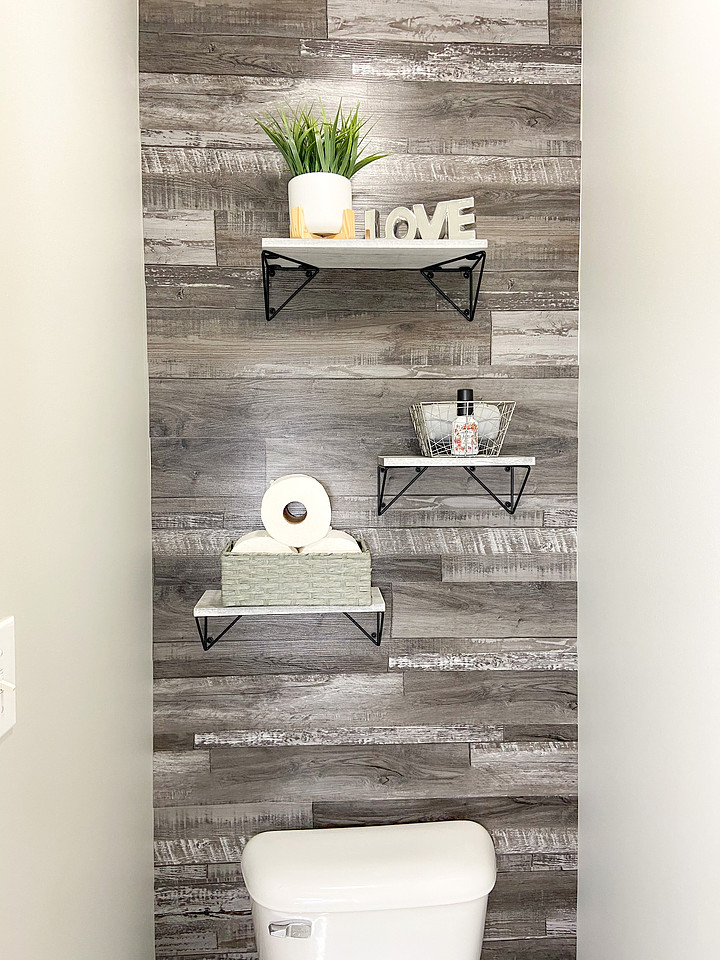
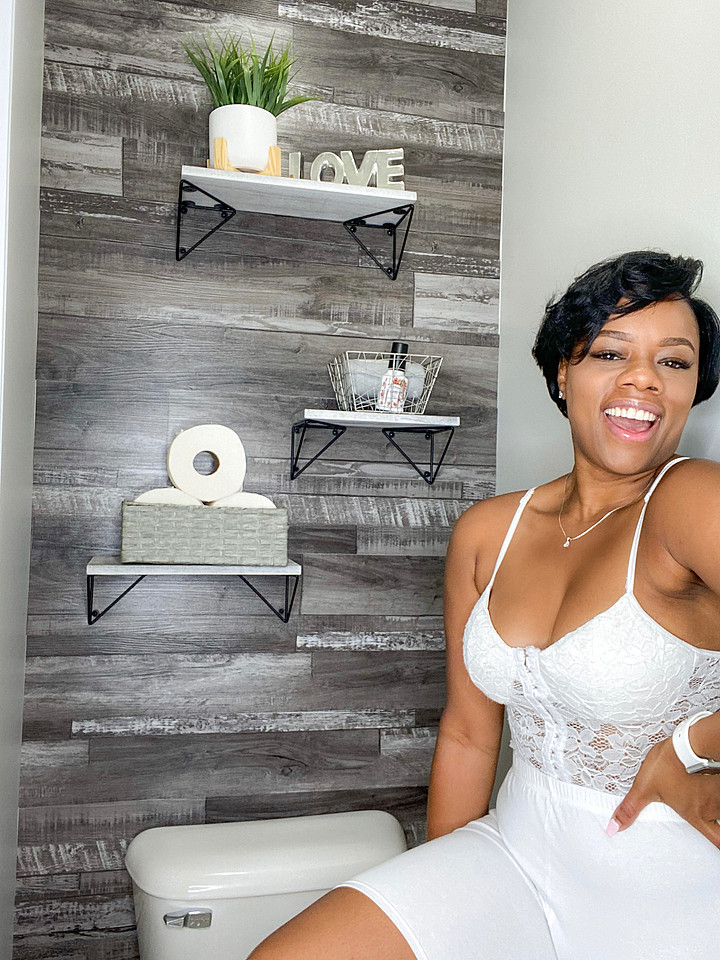
    Want to know how to transform or remodel your bathroom in one day that’s also budget friendly? Keep reading to see how we transformed our bathroom’s toilet room from a boring mess to this bright and cozy toilet room with a plank accent wall. 

    Transformation Idea

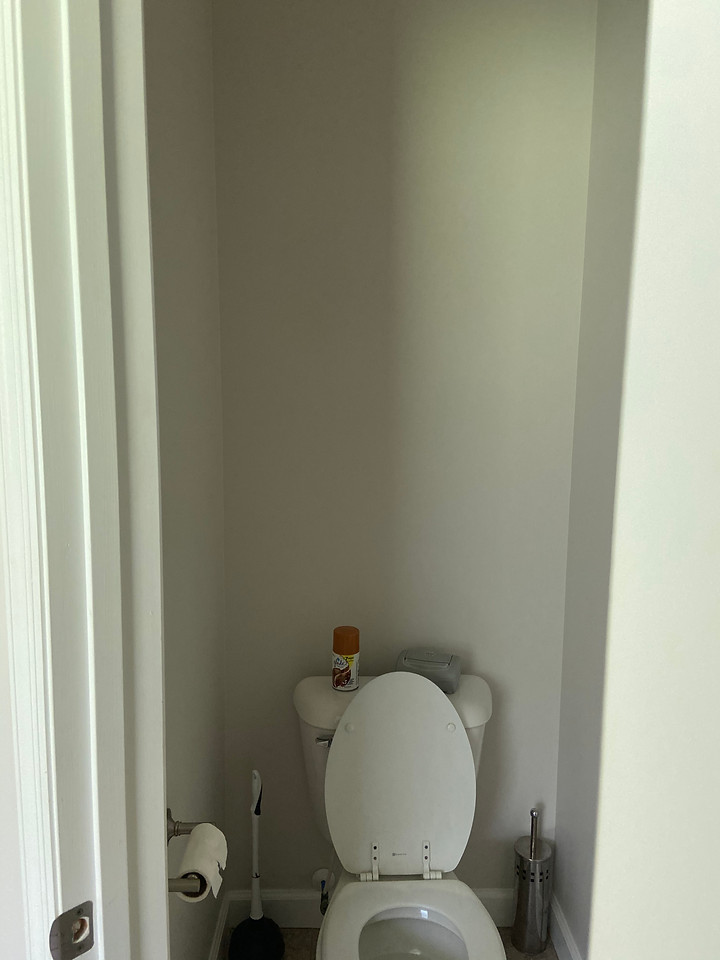
    Being at home during a pandemic will give you time to brainstorm and ways to transform your home. Before, our bathroom toilet room was crappy (pun intended). 

    Before the Bathroom remodel

    When I say crappy I don’t mean poop on the wall. However, the room was dark and gloomy and nothing special but a place to do your DOOTY. It needed some character. Some TLC and a little “L” Family pizazz.

    I was tired of looking at those boring bland walls in the toilet room and wanted a refresh. 

    Bathroom Remodel Details

    Thanks to Urban Decor for gifting us these easy to install wall planks, I got this bright idea to give this room a refresh with an accent wall.

    We prepped and cleaned the walls for painting. Then we painted the walls using Sherwin Williams Repose Gray. We painted all walls except the wall that would be the accent wall. Next, we installed the peel and stick planks. Then added the shelves. We also purchased a new toilet seat from Lowes and lastly added the decor. 

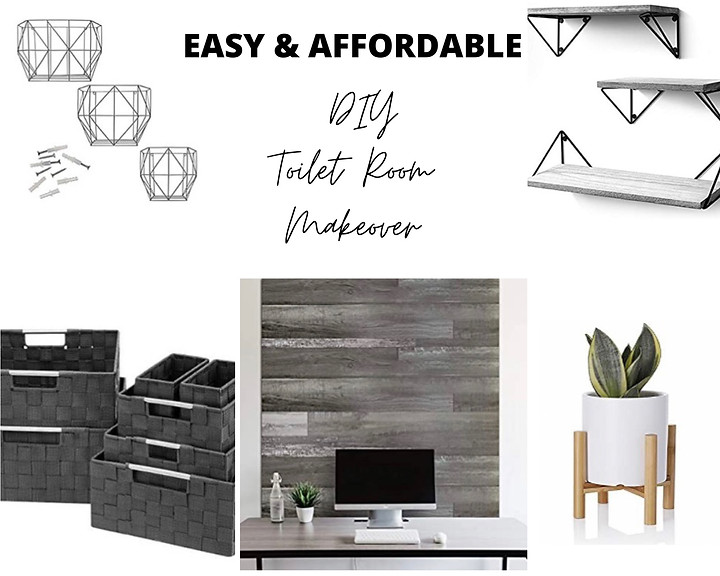
    Below are all the details of what we used to complete this budget friendly bathroom remodel.

    Product details

    Materials:

    Here is what we used:

    Paint: Sherwin Williams Repose Gray

    Wall Planks: Urban Decor Peel & Stick Wall Planks

    Shelves: Rustic Wood Floating Wall shelves

    Decor: Gray Baskets, Wire Baskets, Plant, Love Sign

    These easy to install peel & stick wall planks by @urbandecor.us were perfect. Can you believe this transformation only took one day? Could your bathroom room use an affordable makeover?

    Need a quick plank wall install in your home? Grab yours at https://www.urbandecor.us/

    I hope you all enjoyed this budget friendly bathroom remodel as much as we did.